Remote work feels easier when everything just works. Our RDP VPS gives you quick access and steady performance, so you can log in and get things done from anywhere without dealing with constant setup or interruptions.




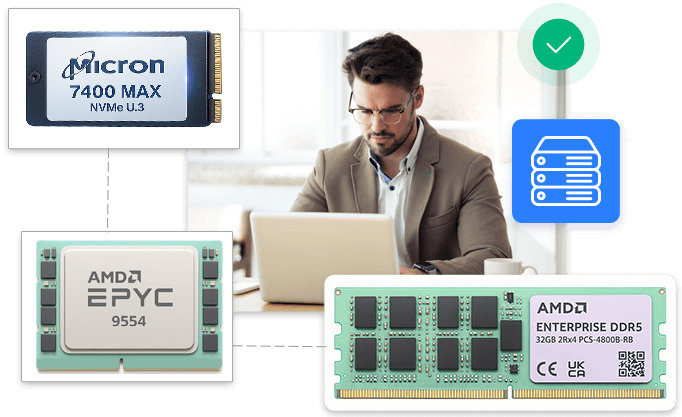

We power our RDP VPS in India with 100% NVMe SSD drives, offering 20 times faster and smarter data storage, maximum speed, seamless compatibility, and guaranteed performance.

Our RDP hosting runs on the 4th-Gen AMD EPYC 9554 processor, so your system stays quick and responsive. Thanks to the 5nm Zen 4 architecture, it handles more tasks at once without needing higher clock speeds. Because it has ~14% higher IPC than Zen 3.

Every RDP VPS plan includes DDR5 RAM for improved speed and efficiency. This helps business-critical and enterprise applications run smoothly as your needs grow. It reduces power consumption and can hold up to 128 GB of memory on a single chip.


You get steady, dependable RDP performance, with pricing that stays simple and predictable. Every RDP VPS feature is thoughtfully put together so the entire experience feels clear, easy, and comfortable.
Experience RDP VPS plans that give you the perfect mix of speed, security, and flexibility, so you can work remotely without interruptions or delays.

There’s no need to wait. We get your Indian RDP VPS ready instantly, giving you more time to work on development, performance, and real business growth right from the beginning.

Our low-cost RDP hosting servers are easy to customise and just as easy to monitor. You can monitor memory, storage, CPU bandwidth, and I/O activity in real time, without delving into complex dashboards.

Turn your ideas into reality with ease. Our modern VNC console, included with RDP VPS hosting in India, lets you recover from firewall or SSH issues, reset forgotten root passwords, and handle server tasks smoothly, so you stay in control, always.

Want to control your remote work efficiently but don’t want to get tied to your local machine? With our RDP hosting, you can manage files, run apps, and complete tasks effortlessly. Everything is fast, secure, and at your fingertips.
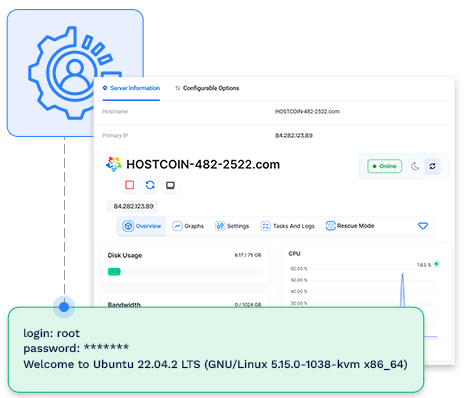
You can manage your RDP VPS easily through a simple control panel, without needing technical expertise. It includes different features like VNC Console, disk, RAM, CPU bandwidth, I/O monitoring, Start, Stop, Power Off/On, and Rescue mode.
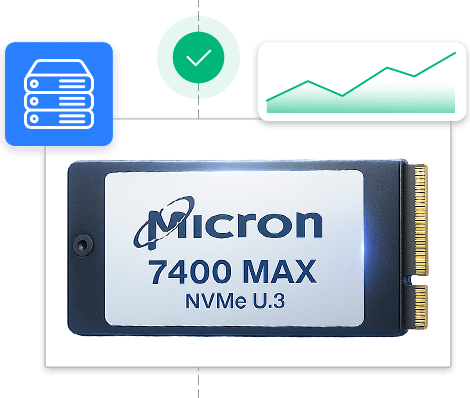
Enjoy high IOPS and lower latency for your remote workloads with our VPS with RDP powered by Micron 7400 Max NVMe U.3 SSD. These drives manage their heat better which makes them faster than traditional SATA SSD and high-end M.2 NVMe drives.

Your RDP VPS at guvihost.com is protected from everyday online threats so you can work without worrying about security. From SSL encryption to advanced firewalls and DDoS protection, everything helps to keep your data safe and your connection secure.

guvihost.com offers powerful and easy-to-manage cPanel VPS hosting designed for superior performance and control. This hosting solution is built with DDR5 RAM, enterprise-level SSDs, and 1 Gbps network speed. Features like an easy to use cPanel interface and management console simplify daily tasks.
Starting @ ₹59.00/mo
Enjoy fast and reliable Ubuntu VPS hosting that combines top performance with simplicity. With DDR5 RAM, NVMe SSD storage, and a 1 Gbps network, your server stays responsive even during heavy traffic. You get complete control and an easy-to-use management console, letting you set up your environment exactly how you need.
Starting @ ₹299.00/mo
Our KVM VPS hosting gives you complete control with dedicated resources that belong only to you. Even during heavy traffic, your applications perform consistently because your resources are fully dedicated and isolated.
Starting @ ₹299.00/mo
These customer voices are evidence of our reliability, realistic approach, and commitment.







Here are answers to some common support questions that will help you better understand how RDP VPS works and what you can do with it before you order your RDP VPS server.
Think of it as sitting in front of another computer, even though it’s in a different location. You see its screen, open apps, and work on it as if it were right in front of you.
RDP hosting blends the power of a Virtual Private Server (VPS) with Microsoft’s Remote Desktop Protocol (RDP), giving you access to a dedicated remote Windows environment in the cloud from anywhere, just like you are using it in person.
The process of buying an RDP VPS is easy. Before everything, choose a hosting provider. Then pick a plan that fits your needs, like memory, processing power, location, and so on. Complete the checkout using your preferred method. Once your payment is done, we’ll send your login details by email. Using these details, you can connect to your VPS using a remote connection [Remote Desktop Connection].
To establish a connection between VPS and RDP, you need to first buy a Windows VPS and receive login credentials. After that, make use of the inbuilt Remote Desktop Connection app (mstsc) on Windows or Microsoft Remote Desktop for mobile/Mac) and enter the VPS IP and login details to access the remote desktop workspace just like a local computer machine.
RDP is one of the most preferred options because it is reliable, safe, and readily accessible on devices. It allows you to access your files and applications remotely, the same way you would use your own computer machine. Because of this, a lot of customers in India prefer RDP for daily work, server administration, and technical assistance.
Yes, that’s not a problem at all. Most users start small and upgrade as their usage increases. If you ever feel your current plan isn’t enough, you can move to a higher one without having to set things up again.
The RDP VPS is set up instantly; only the OS updates take time.
It is always beneficial to have technical knowledge, but if you’re a beginner, you do not need to worry. guvihost.com provides both unmanaged and managed RDP hosting solutions. In managed RDP VPS, our expert management team handles all the technical activities, including server settings, software updates, and lots more.
guvihost.com’s all the powerful RDP hosting plans support Windows Server 2019 and 2022 Standard OS.